
Tennessee Court Calendars
Think of a Tennessee court calendar as a working schedule. It lists the cases set for that date or session. The court docket is different. It is the chronological register of filings, orders, and settings in one case. Portals in Tennessee sometimes blend the two, yet each record answers a separate question. A calendar entry may name a hearing date. It may show nothing of the case papers or the later order that changed it.
Trial courts and clerks publish these records themselves. Clerk assignments vary widely across the state. Circuit, General Sessions, Chancery, Criminal, Juvenile, and even municipal cases may sit with separate offices in a single county. No common trial-calendar format exists statewide. One local court posts a daily calendar online. Another keeps a paper list, a terminal, or a counter. Confirm which court and division keep your case before trusting any list.
No Single Tennessee Trial Calendar
No single public calendar covers every Tennessee trial court. One county's case index may show a future hearing date. Another court posts a daily or weekly PDF instead. Some calendars list motion days, jury weeks, arraignments, or docket calls. A list may cover just one division or a short period. The Tennessee court or clerk keeping the case controls its own schedule.
The distinction matters. A case index can show one case's docket events without listing every hearing set that day. A daily docket shows a day's appearances but omits earlier filings and signed orders. Appellate pages add yet another layer, though those entries concern appeals alone. Need a local hearing date? Start with the trial court named on the notice.
Note: a Tennessee calendar may be a daily list or a case-specific setting view. Neither format is a guarantee. The court may not have posted its latest change.
How to Find a Tennessee Court Date
The notice, summons, or latest order is the best starting point. It names both the court and the case number. A county alone may not be enough. Several Tennessee trial courts can serve the same county, and a case can move to a different court with a new file. The AOC courthouse finder lists local court offices and helps route a docket search. You can also open Counties to reach county court information. Then pick the specific court shown on the notice.
The AOC courthouse finder maps the route from a Tennessee county to its court offices:
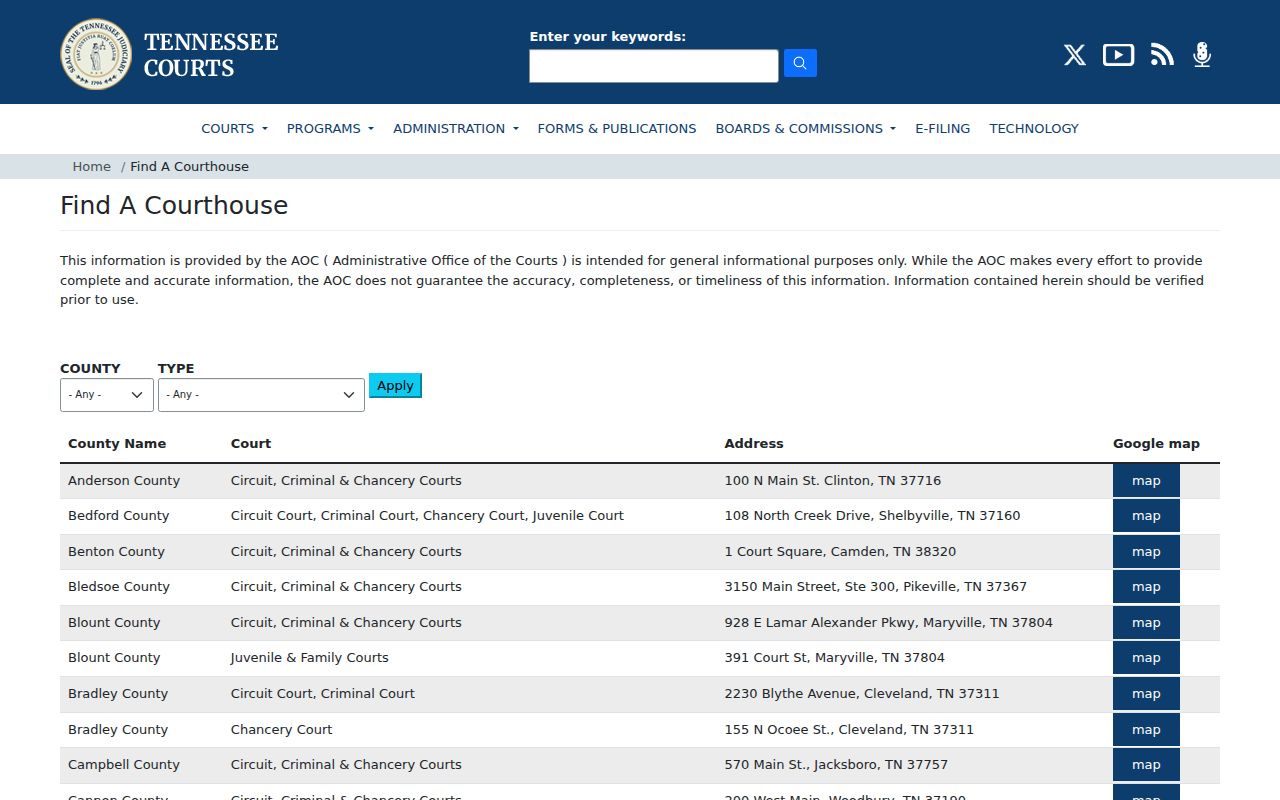
A directory listing helps identify the right clerk. It does not confirm a hearing date or calendar entry. Check the court's current docket setting with staff directly, following these steps to check a Tennessee court date:
- Read the court, county, division, case number, and hearing date from the latest notice or order.
- Open that Tennessee court’s official site or contact listing; do not assume another division’s calendar covers it.
- Use its case index or court docket, daily or weekly calendar, PDF, public terminal, or clerk counter if offered.
- Check the Tennessee calendar’s posted date and scope, then compare it with any later notice or reset order.
- Ask the clerk or court coordinator to confirm the current docket setting when the date is close, unclear, or recently changed.
The Tennessee clerk directory and the courthouse finder offer county-specific routes, but they do not operate a statewide setting line. Phone, email, mail, online forms, and walk-in access vary by court, so ask the listed clerk which channel it accepts and whether a public terminal, paper docket, or calendar is available.
Note: Tennessee has no public statewide trial-calendar search; the county and court named on the notice determine the local route.
Tennessee Calendar: Clerk or Coordinator?
Different Tennessee court staff answer different questions. A clerk or records desk can confirm what the case register shows. They can explain how to request a filed court notice or record. A court coordinator or judicial assistant often handles schedule questions. They can say whether a case remains on a judge's schedule or has been reset. The appellate clerk handles an appeal's calendar and case record. Calling the right office saves a trip. It also prevents mix-ups between a filed date and a current setting.
The AOC directory can identify the office. The person who controls the setting may not be the clerk who keeps the file. A listing may give only a general number. Ask for the division's records desk or the coordinator for the assigned judge. For appellate matters, use the appellate clerk's resources. Structure varies by county. Treat no single office's process as a rule for all Tennessee courts.
Reading a Court Setting
A Tennessee calendar line can be thin. It may list a time but skip the room, or name a setting without saying why. Fields vary by court and by vendor. Match the case number on the calendar to the one on your court notice first. Then check the setting type and place. A "docket call" bundles many matters for one review. An individual setting names a single case and time. Ask court staff whether your case will be called in a group or on its own.
| Case Number | The local identifier; format varies by Tennessee court, division, and year. |
|---|---|
| Setting Date & Time | The listed Tennessee hearing day and start time; verify that no later order changed them. |
| Court & Courtroom | The court, division, room, or judge, when the local calendar supplies it. |
| Hearing Type | The purpose, such as a motion, arraignment, trial, or docket call. |
| Setting Status | A local label such as set, reset, continued, or canceled; ask what it means. |
- Docket call
- A Tennessee calendar slot that may group several cases for review.
- Individual setting
- A date and time assigned to one case or hearing.
- Reset
- A case is moved to a new court date.
- Continuance
- The court postpones a hearing, often by order.
Treat these as checks, not guarantees. No Tennessee calendar promises all five fields. Some docket lists are grouped by judge, room, or case number, so a party-name search may not even work. And keep the line straight: a Tennessee court calendar says when a matter is set. A signed order or docket entry says what happened. If the legal effect of a change matters, request the actual Tennessee notice or order.
A Tennessee Local Calendar Example
Not every Tennessee docket search runs through a statewide site. Some counties build their own. The Hamilton County CJUS Daily Court Docket is a good example. It covers that county's courts and nothing beyond them. What it offers is a daily court calendar for Hamilton County. It is not a way to search every Tennessee court at once. Local portals like this differ in what a docket entry shows and how the case lookup works. One county's search steps tell you little about the next county's fields. That is the trade-off with local Tennessee court calendars: detail in exchange for reach.
The official local page shows a county publishing its own docket for its own courts.
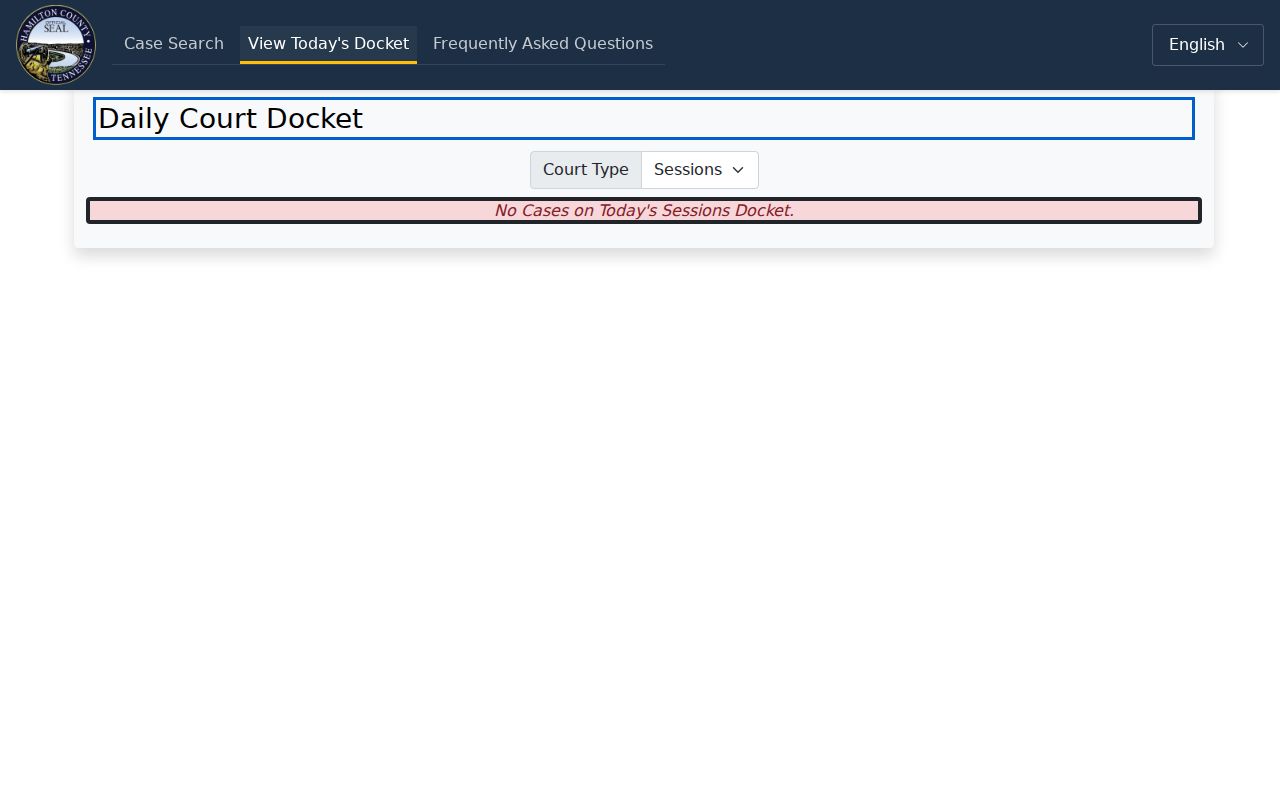
Start with the county and Tennessee court named in the case papers. Then find that court's calendar. Even a fresh Tennessee docket list can miss a last-minute setting change. When the date truly matters, call court staff. Remember, Hamilton's daily docket is one Tennessee local example. Its fields and update schedule should not be assumed for another court.
Resets, Continuances, and Cancellations
A reset or continuance moves a matter to a new date. It does not end the case. An older Tennessee calendar can linger online after the change. The new date lives in a later event, notice, or order. A canceled entry is just as murky. It may not say what happened to the Tennessee case. The case may have been dismissed, rescheduled, or shifted to another calendar. Always check the newest docket entry and court notice first. Tennessee local practice shows why confirmation matters. The Fourth Judicial District's civil rules describe annual calendars prepared by judges' administrative assistants. Those calendars are made available through clerk offices. There, trial-date requests go through the judge's assistant, and confirmation happens by agreed order. Those steps bind only the courts under those Tennessee rules. A local rule or later order can control how any change is recorded.
Tennessee Calendar and Notice Conflict?
Say an online Tennessee calendar shows one date and a paper notice shows another. First check whether the calendar is static or limited to one session. Some Tennessee courts warn about additions and changes. Those appear on the original docket rather than the posted list. Compare every notice and order. Then call the clerk or coordinator for the court named in the case. Ask which date is set now. Request the latest entered notice or order if needed. The Hamilton County Circuit Court docket page is one local illustration. It posts weekly dockets and procedural-step lists. Its guidance is local, not a Tennessee-wide promise about updates. If a Tennessee docket search turns up nothing, ask questions. Cover the division, the date range, and whether the list is a docket call or an individual setting. For a copy of a public court calendar, notice, or docket record, ask about inspection or copy options. Tennessee Supreme Court Rule 34 governs access to court records. The Tennessee Public Records Act request guide explains requests to government entities. Note, though, that a record request never asks a judge to change a date. It can obtain an existing calendar entry, but the court controls the hearing schedule and any reset.
PCH Is Not a Tennessee Trial Calendar
Tennessee's Public Case History (PCH) is about appeals, not local trial settings. Its case search takes one criterion at a time. The options are appellate case number, case style, party name, or business or organization. The form has no date, county, or trial-court filter. An appeal result may show the originating court, trial number, judge, appeal events, and linked documents. It will not reproduce the Tennessee trial docket or calendar. Use the PCH case search for the appeal. Then use its originating Tennessee court and trial number. That routes a request for the lower-court case record. Oral argument and submission are appellate hearing events. For a Tennessee trial hearing date, go back to the local clerk or coordinator. The Tennessee appellate public resources list oral-argument calendars and pending-case reports, but they do not set county trial dates.
If You Miss a Tennessee Court Setting
A missed hearing in Tennessee needs fast attention. Call the court that set the date. What happens next depends on the type of case and what the judge ordered. A skipped criminal setting can trigger failure-to-appear action. A civil case might simply move ahead without you there. The docket entry itself will not spell out the fix. Ask the clerk or coordinator about the case. Cover where it stands now, when the next setting falls, and exactly what the court wants you to do. A new date on an online Tennessee docket does not, by itself, clear up the missed appearance.
If You Missed a Setting:
Contact the court or clerk listed on the latest notice as soon as you can. Explain which date you missed and ask whether the case has a new setting or an order you need to address.
Use the newest notice or entered order, and ask the court coordinator or clerk to confirm the next date. There is no one statewide Tennessee remedy that fits every case.